Shapes
On-device shape recognition that turns one hand-drawn stroke into a rectangle, ellipse, triangle, star or line in under 10ms.

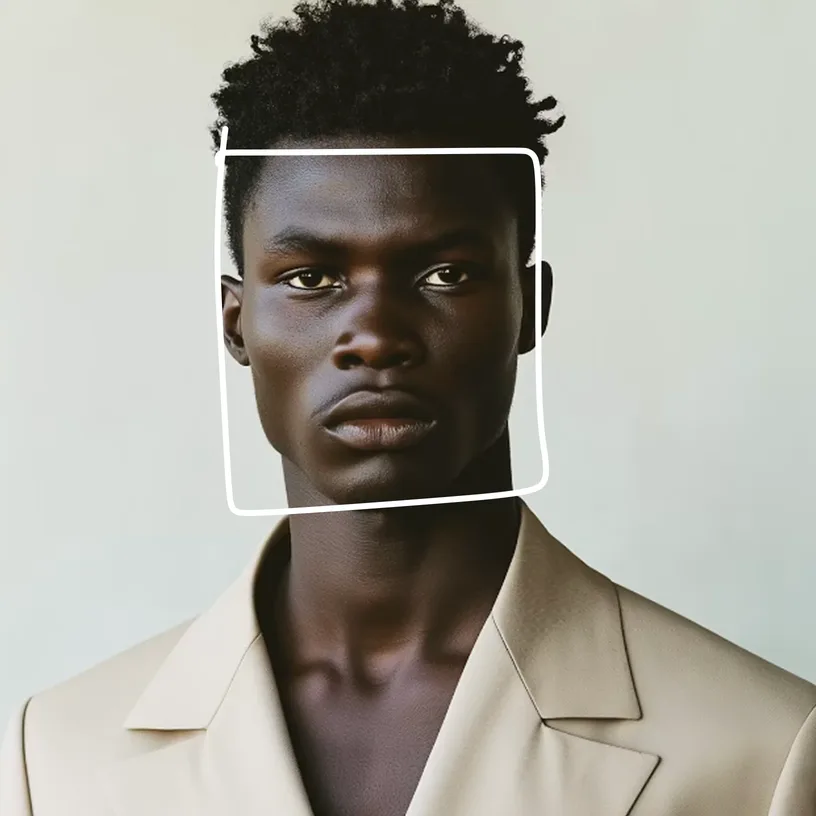
Demo
Rough sketch. Perfect shape.
Draw a rough circle and Shapes snaps it to a clean one. Shapes fits precise vector geometry, snaps to axes, circles, squares and 15-degree rotations, and rejects scribbles that are not shapes.
On Apple, one call adds Notes-style smart-shape snapping to a PencilKit canvas, and the live preview stays. Apple's own "Snap to Shape" is private API that third-party apps cannot call, so Shapes does the same job in one line.
The model is small enough to ship inside the app, with no download. In the browser, Shapes runs through LiteRT.js.
Under 10ms per stroke.
Under 10ms per stroke, from a 0.2MB model on Apple and 1.3MB on Android and the web.
Internal measurements. Core ML on Apple, LiteRT.js in the browser, prebuilt native libraries on Node.
Use cases
Rough sketch. Perfect shape.
Notes-style smart shapes
Add snap-to-shape to a PencilKit canvas with canvasView.enableShapeSnapping(). Live preview, undo and redo preserved, filling the gap left by Apple's private Snap to Shape API.
Clean up a freehand diagram
Turn rough strokes into precise geometry in a diagram or whiteboard tool. Works with tldraw and Excalidraw stroke data.
Cross-platform drawing
One recognizer covers iOS, Android, and the web, so you write the snapping code once.
Ships in the app, not as a download
On Apple the recognizer is 0.2MB and ships inside the binary, and the Android package bundles it by default. In the browser the SDK fetches 1.3MB once and caches it.
Inspiration
Ideas to build with Shapes. Copy a prompt into your coding agent and go.
Build a whiteboard that snaps rough sketches into clean shapes.
Clean up a freehand diagram into crisp shapes.
Add shape recognition to a web canvas with no download.
Snap flowchart boxes and connector lines as you sketch them.
Add smart-shape drawing to a kids' learning app.
Recognize gesture shapes to trigger app actions.
What the model does
- One stroke at a time, passed as its
[x, y]points, from PencilKit, tldraw, Excalidraw, or your own canvas. - Recognizes rectangle, ellipse, triangle, star, and line, and rejects non-shapes.
- Snaps to axes, circles, squares, and 15-degree rotations.
- PencilKit live snapping via one call:
canvasView.enableShapeSnapping(). - Runs through LiteRT.js in the browser. Node uses prebuilt native libraries.
Getting started
Add shape recognition to your iOS or macOS, Android or web app in a few lines of code. Shapes docs.
// Swift Package Manager
.package(url: "https://github.com/Desert-Ant-Labs/desert-ant-core", from: "3.5.0")
// target dependency
.product(name: "Shapes", package: "desert-ant-core")import Shapes
let shapes = Shapes()
let shape = try await shapes.recognize(points: stroke)
// Shape? -> rectangle, ellipse, triangle, star, lineimport PencilKit
import Shapes
// Live smart-shape snapping on a PencilKit canvas, in one line.
// Pause after a stroke to preview the fit, lift to snap. Undo-safe,
// and it uses the same recognizer, bundled by default.
canvasView.enableShapeSnapping()Add Shapes from Desert Ant Labs to this Swift project (iOS, macOS). What it does: On-device Single-Stroke Shape Recognition. SDK: Swift (iOS, macOS) Repo: https://github.com/Desert-Ant-Labs/desert-ant-core#readme // Swift Package Manager .package(url: "https://github.com/Desert-Ant-Labs/desert-ant-core", from: "3.5.0") // target dependency .product(name: "Shapes", package: "desert-ant-core") Reference: - Model page: https://desertant.com/models/shapes/ - Full catalog and other models: https://desertant.com/llms.txt Add the SDK, then follow its README for the exact API and current version. Do not invent API names or method signatures; confirm them against the README.
// build.gradle.kts (Maven Central)
implementation("ai.desertant:shapes:3.5.0")import ai.desertant.shapes.Shapes
val shapes = Shapes(context)
val shape = shapes.recognize(points)
// Shape? -> rectangle, ellipse, triangle, star, lineAdd Shapes from Desert Ant Labs to this Kotlin project (Android).
What it does: On-device Single-Stroke Shape Recognition.
SDK:
Kotlin (Android)
Repo: https://github.com/Desert-Ant-Labs/desert-ant-core#readme
// build.gradle.kts (Maven Central)
implementation("ai.desertant:shapes:3.5.0")
Reference:
- Model page: https://desertant.com/models/shapes/
- Full catalog and other models: https://desertant.com/llms.txt
Add the SDK, then follow its README for the exact API and current version. Do not invent API names or method signatures; confirm them against the README.
npm i @desert-ant-labs/shapes @litertjs/coreimport { Shapes } from "@desert-ant-labs/shapes"; // browser
// import { Shapes } from "@desert-ant-labs/shapes/native"; // server-side Node
const shapes = await Shapes.load();
const shape = await shapes.recognize(points);
// { kind: "ellipse", center: {...}, ... } or nullAdd Shapes from Desert Ant Labs to this JavaScript / TypeScript project (Web, Node.js). What it does: On-device Single-Stroke Shape Recognition. SDK: JavaScript / TypeScript (Web, Node.js) Repo: https://github.com/Desert-Ant-Labs/desert-ant-core#readme npm i @desert-ant-labs/shapes @litertjs/core Reference: - Model page: https://desertant.com/models/shapes/ - Full catalog and other models: https://desertant.com/llms.txt Add the SDK, then follow its README for the exact API and current version. Do not invent API names or method signatures; confirm them against the README.
Specs
- Shape classes
- Rectangle, ellipse, triangle, star, line
- On-device size
- 0.2MB Core ML (Apple); 1.3MB LiteRT (Android, web)
- Speed
- <10ms
- Web runtime
- LiteRT.js in the browser, native libraries on Node
Shapes reads one stroke at a time, so a shape drawn in two strokes is not recognized. Very rough or ambiguous strokes are rejected on purpose, so a scribble never snaps to a triangle.
Multi-stroke diagrams need your own grouping step first.
FAQ
What is Shapes?
On-device shape recognition that turns one hand-drawn stroke into a rectangle, ellipse, triangle, star or line in under 10ms.
Does Shapes run on device?
Yes. Shapes runs on the device, with no server call, so the data stays with the user.
Which platforms does Shapes support?
Shapes ships as a native on-device SDK for Swift, Kotlin, JavaScript / TypeScript.
How much does Shapes cost?
Each model is free up to 100k monthly active devices. Inference is unlimited. Contact us for custom licenses.
How accurate or fast is Shapes?
Under 10ms per stroke, from a 0.2MB model on Apple and 1.3MB on Android and the web.