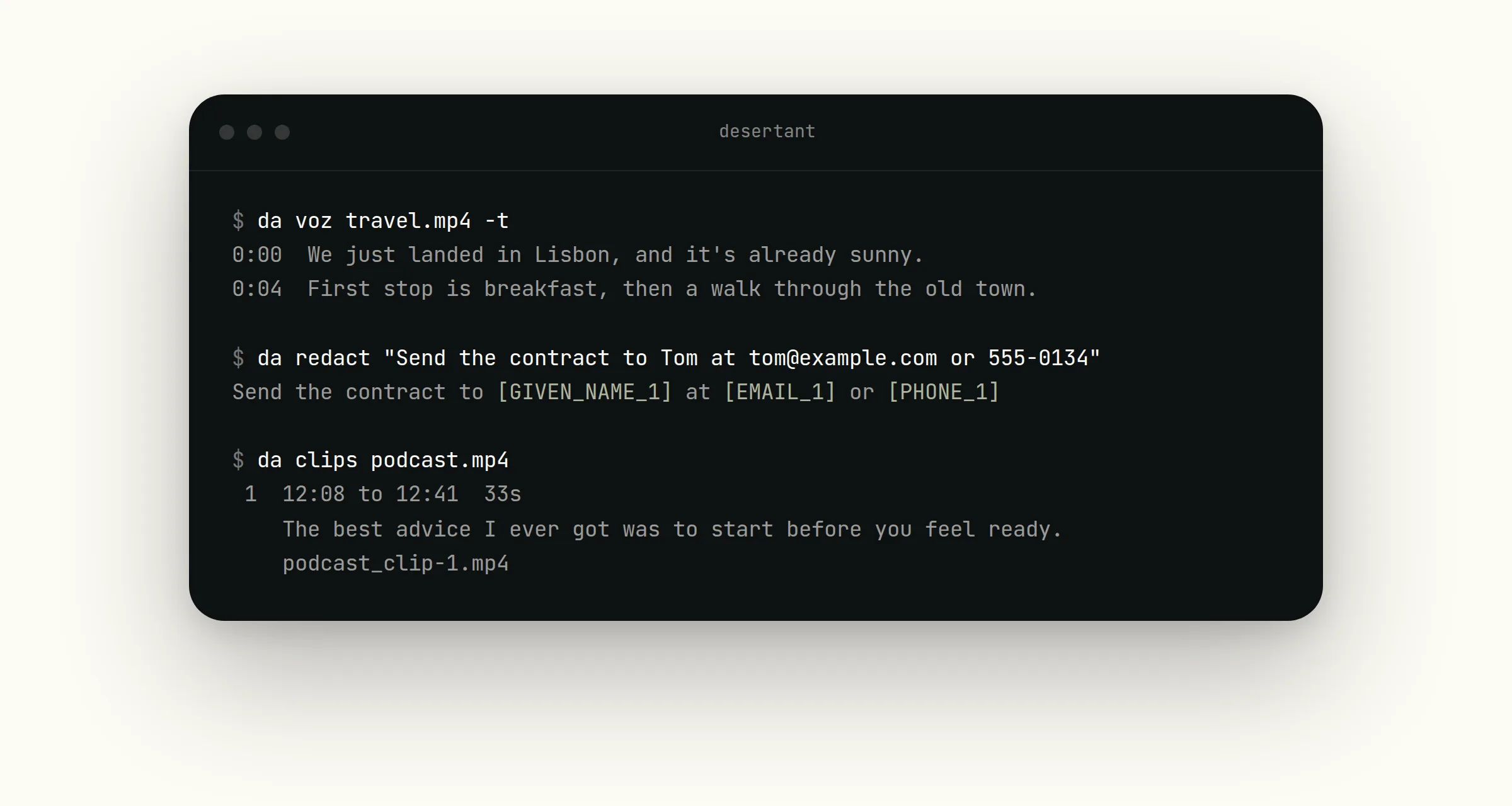
The Desert Ant CLI lets you run our models on your own machine, straight from the terminal. The command is desertant, or da for short. The CLI downloads each model's weights once and runs everything locally.
The CLI runs models across audio, video, text and photos. Voz, Uhm, Title and Moderator run on Apple silicon, and the rest run on macOS and Linux. Run da models to see what runs on your machine.
We built the CLI with coding agents in mind. Every command returns JSON when you add --json, reads from stdin and exits with 0, 1 or 64, so your agent can call a model, check the result and pass it on to the next step. Run desertant setup and the CLI writes a skill for every coding agent on your machine: Claude Code and Pi get a skill file, and Codex gets a section in AGENTS.md.
Say you ask your agent to transcribe a folder of customer interviews and redact personal details from the transcripts. It can run Voz on the recordings, pipe the text into Redact and hand you back the redacted transcripts. None of the files leave your machine.
Desert Ant models in the CLI
You can run da info <model> to print a model's card, with its numbers and its limits.
Transcribe audio and video with Voz
Transcribe meetings, interviews and videos in 25 languages, with a time on every word, so you can cut, search and caption on the word. --srt, --vtt and --txt write caption and text files next to the recording.
da voz talk.mp4 -t
da voz talk.mp4 --srt
Turn audio and video into clips
Cut a podcast, interview or meeting into short clips and highlights. Clips picks the highest-scoring moments and writes each one as its own video file.
Clips transcribes the recording first. If you already have a Voz transcript, pipe the transcript in and Clips skips the transcription:
da voz talk.mp4 --json | da clips talk.mp4 --transcript -
Clean up noisy audio with Clear
Get studio sound from a noisy recording. Clear takes out background noise and room echo, levels the loudness and writes a new file beside the original.
Detect filler words with Uhm
Find every "uh", "um" and "hmm" in a recording, with the exact span to cut, so you can tidy an edit without scrubbing through the audio by ear.
Identify the language of a recording with Ear
Name the language someone is speaking, from 99 languages, so you can check Voz covers the language before you transcribe.
Remove PII from text with Redact
Replace names, emails and phone numbers in a text with labels before you share the text or send it to a cloud model. Redact catches about 90% of personal data, so check anything sensitive before it goes out.
$ da redact "Email Anna at anna@example.hu or call 555-0100"
Email [GIVEN_NAME_1] at [EMAIL_1] or call [PHONE_1]
Identify the language of a text snippet with Tongue
da tongue tells you which language a piece of text is written in. It covers 84 languages, and it only needs a few words to work out the answer.
da tongue "kann ich das haben"
This model ships inside the CLI, so there's nothing to download first.
Generate content topics and tags with Gist
Tag a post or article with topics from a set of 36, so you can sort, filter or route content without reading every piece yourself.
Generate titles and descriptions with Title
Get a short factual title and a one- or two-sentence description for any text, from a transcript to a support thread.
da title < transcript.txt
Get emoji suggestions with Emo
Suggest emoji for a word or a sentence, most relevant first.
da emo "see you at the beach tomorrow"
Flag NSFW photos with Moderator
da moderator gives a photo a score for nudity or sexual content. You can quarantine images you download until someone has reviewed them, or add NSFW filtering to a generative AI tool to catch unwanted images before anyone sees them.
Two options allow you to change what Moderator flags. --policy allow-topless lets topless images through, and --threshold sets the score at which Moderator flags a photo.
Run commands on a whole folder
Every command that works on files can take a whole folder or several files at once, and --recursive picks up subfolders too.
da moderator photos/
da ear interviews/ --recursive
The model only loads once for the whole batch, and if you add --json you get all the results back in one array. If a file fails, the CLI tells you which one and carries on with the rest.
Install
You can install the CLI with one line:
curl -fsSL https://raw.githubusercontent.com/Desert-Ant-Labs/desert-ant-cli/main/install.sh | sh
Or install with Homebrew or mise if you prefer.
brew install desert-ant-labs/tap/desertant
mise use -g "ubi:Desert-Ant-Labs/desert-ant-cli[exe=desertant]"
Already installed? Update to the latest version with whichever method you used:
desertant update
brew upgrade desertant
mise upgrade
Looking for something to build? The Inspiration page has project ideas, each with a prompt you can paste straight into your coding agent to get started.